
27
Aug

Finally 2.0.0 and 2.0.0e

Hi everybody,
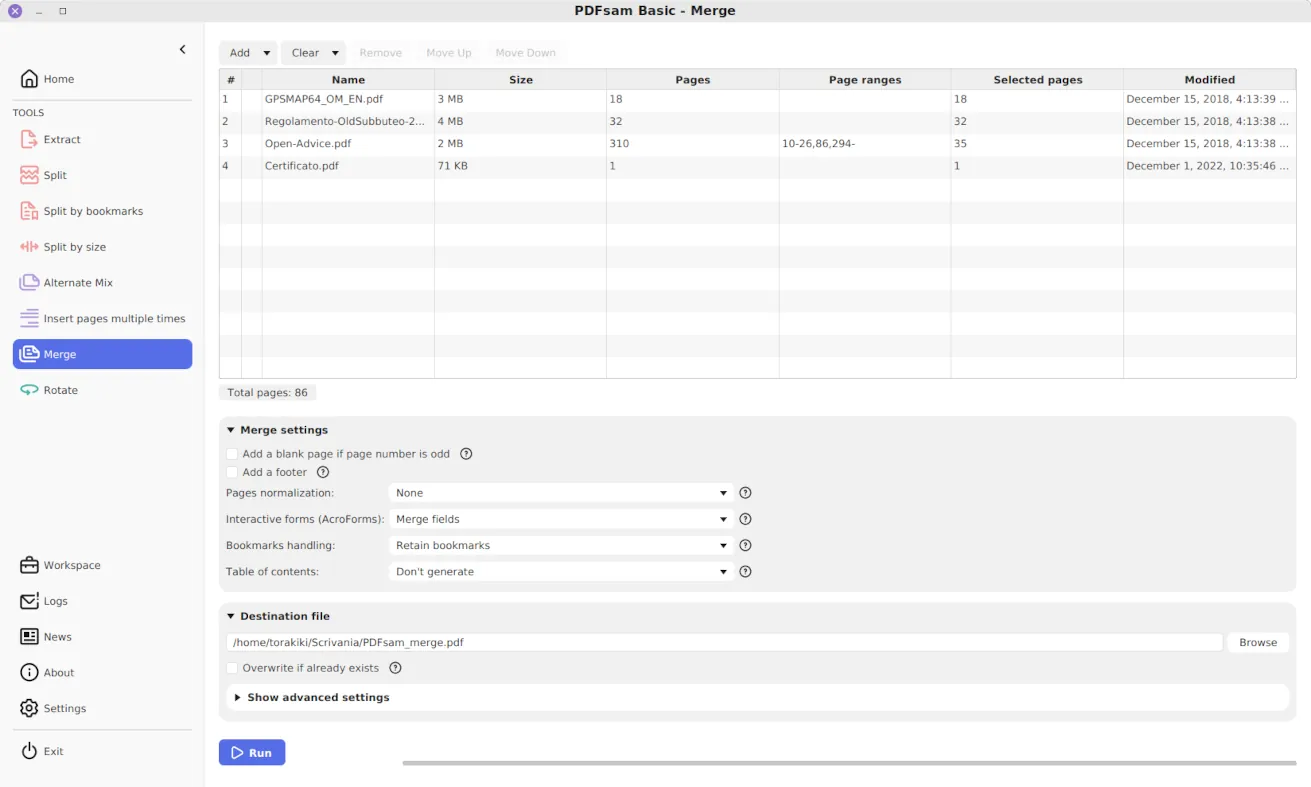
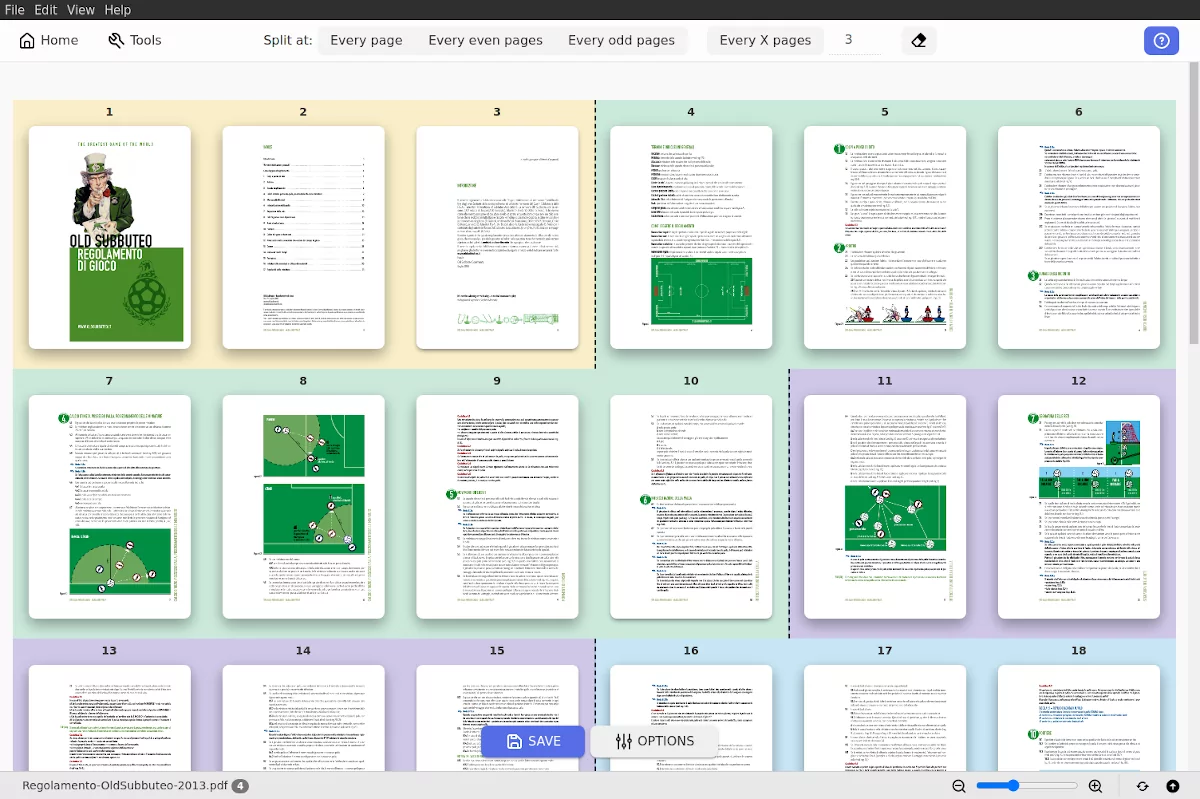
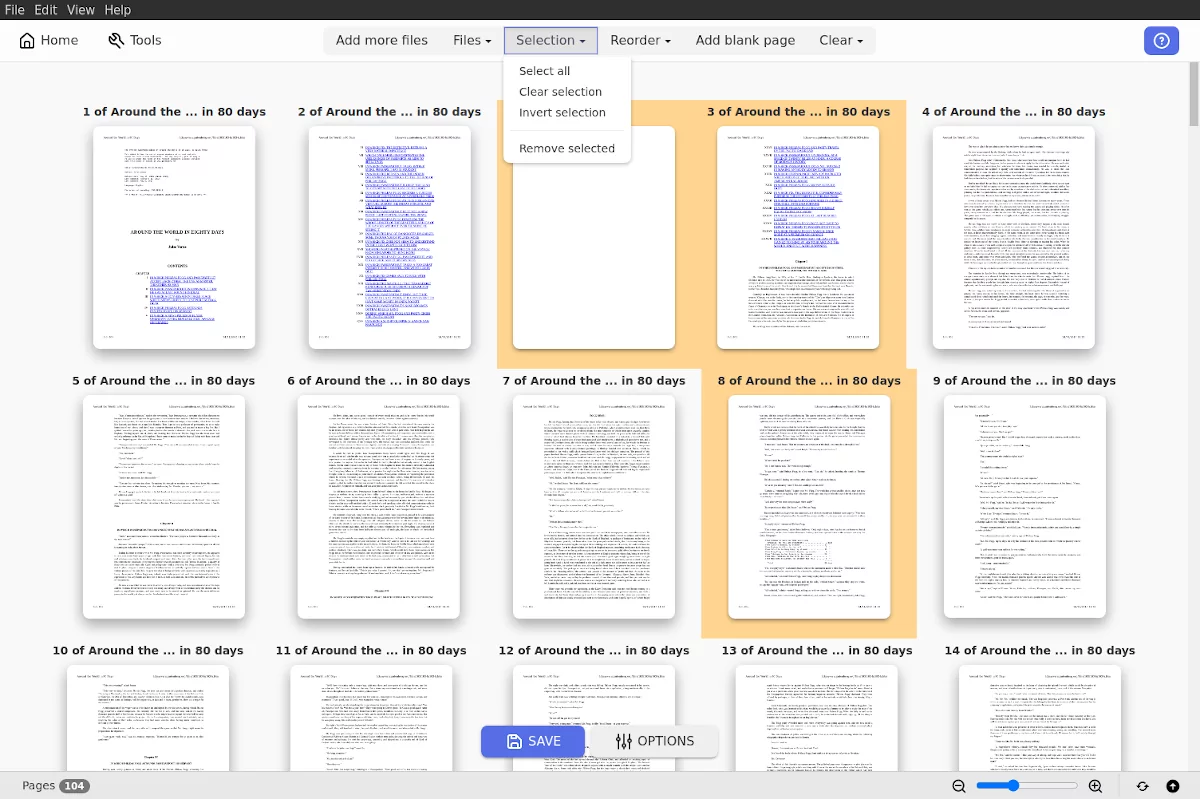
I just released the first stable versions of the branch 2. The new 2.0.0 and 2.0.0e are available to be downloaded. You’ll find some bug fixes, the context menu to add complex prefixes, the rotate plugin, thumbnails with a slightly improved quality, plugins showed in alphabetical order and the new console command ‘pagelabels’ to set page labels on a pdf document.
Enjoy
Andrea

free blog themes

29 Responses to “Finally 2.0.0 and 2.0.0e”

  1. x Says:

    i want to test the software.

  2. Venu Says:

    I want to try the software about its features

  3. Venu Says:

    Want to test the software for its features

  4. Duc Says:

    Andrea, this is awesome :)

  5. Ling Says:

    how to download?

  6. Moongab Kim Says:
  7. Chris Says:

    Have spent over an hour so far-registering, donating, downloading, updating Java and all I have is a zipped folder on my desktop which contains lots of other zipped folders. I have been hopefully clicking on everything ending in .exe but I just get a Java error message. I am not a PC geek but neither am I a moron and normally whizz thru stuff like this-PLEASE HELP!

  8. Mafig Says:

    I needed a simple split pdf files program, downloaded yours (v.2) and it worked! No problem with installation, or figuring out how to do it. Nice! Thanks!

  9. Scott Says:

    I’m having difficulties downloading the software as well. I seem to be able to dowload the software fine (v.2) but when I start the program this message appears “Windows cannot find javaw.exe file”. I also downloaded some Java programs but this doesn’t seem to help. Any ideas?

  10. Greg Says:

    I had a similar problem as Scott. When I tried to open Split and Merge an error message said to the effect, “no valid JRE.”

    So I went to the Java website, downloaded and installed the latest version of Java which is (6), and then the program opened fine, merged PDF’s. Worked great.

    Looks like an old version of Java is the issue, especially if you’re using the latest Split and Merge version.

  11. andrea.vacondio Says:

    pdfsam-1.2.0 requires Java 1.4.2 and pdfsam-2.0.0 requires java 1.6.

  12. ShahJahan Says:

    Thanks. Loved it to pieces. Please make the compression of the files to be PDF 1.8 (Acrobat 9) compatible. I use it to compress my pdf files and works wonders. I’ll appreciate if you can make a stand-alone pdf compressor that optimizes and compresses the PDF to v1.8 (Acrobat 9)

    Thanks :)

  13. Janet Says:

    Thanks so much for making thsi software. It is great! I would have paid a fortune so I donated to help the programs coming. :) You all rock.

  14. Alfredo Says:

    I had to say this, thank you so much… if i knew how to donate i would do it…

    keep up with the good work ! !

  15. NJ Says:

    the split option doesnt work

  16. andrea.vacondio Says:

    It works for everyone else, could you be more specific describing the problem?

  17. NJ Says:

    I dont know what the problem is, it gives me no split files. I tried to split an 8mb pdf file into 3 MB ones and also tried to split by page. None of the options gave me any result. The log says

    22:06:49,996 INFO File selected: File.pdf

    22:07:25,558 DEBUG Starting arguments parsing.

    22:07:25,574 DEBUG Command ‘split’ parsed in 16ms

    22:07:25,574 DEBUG Starting arguments validation.

    22:07:25,574 DEBUG Command ‘split’ validated in 0ms

    22:07:25,918 INFO Found 518 pages in input pdf document.

    22:07:25,933 DEBUG Creating a new document.

    22:07:25,933 DEBUG Creating temporary file..

    22:07:26,011 ERROR Command Line: [-f C:\File.pdf -p [CURRENTPAGE] -s SIZE -b 3145728 -o C:\Folder -overwrite -compressed -pdfversion 5 split ]

    java.lang.Exception: org.pdfsam.console.exceptions.console.SplitException
    at org.pdfsam.console.business.ConsoleServicesFacade.execute(ConsoleServicesFacade.java:74)
    at org.pdfsam.guiclient.commons.business.WorkThread.run(WorkThread.java:42)
    at org.pdfsam.guiclient.commons.business.WorkExecutor$WorkQueue$PoolWorker.run(WorkExecutor.java:142)
    Caused by: org.pdfsam.console.exceptions.console.SplitException
    at org.pdfsam.console.business.pdf.handlers.SplitCmdExecutor.execute(SplitCmdExecutor.java:105)
    at org.pdfsam.console.business.pdf.CmdExecuteManager.execute(CmdExecuteManager.java:68)
    at org.pdfsam.console.business.ConsoleServicesFacade.execute(ConsoleServicesFacade.java:72)
    … 2 more
    Caused by: java.lang.IllegalArgumentException: PdfReader not opened with owner password
    at com.lowagie.text.pdf.PdfReaderInstance.getImportedPage(Unknown Source)
    at com.lowagie.text.pdf.PdfCopy.getImportedPage(Unknown Source)
    at org.pdfsam.console.business.pdf.handlers.SplitCmdExecutor.executeSizeSplit(SplitCmdExecutor.java:522)
    at org.pdfsam.console.business.pdf.handlers.SplitCmdExecutor.execute(SplitCmdExecutor.java:98)
    … 4 more
    22:08:42,308 INFO Log saved.

  18. andrea.vacondio Says:

    Caused by: java.lang.IllegalArgumentException: PdfReader not opened with owner password

    The document is password protected (should also have a small yellow lock beside the filename in the pdfsam selection table). You should provide the owner password in order to be able to split this document.

  19. NJ Says:

    Yes you’re right I do see the Yellow lock icon.Guess I cant split it unless i have the owner password. Is there a way out?

  20. andrea.vacondio Says:

    Pdfsam needs the password or an unprotected version of the document.

  21. Steven Wang Says:

    I just tried it. It works great! I’ve looked for this kind of free tool for a while. It is neat. Good job.

  22. awe Says:
  23. AJ De Icaza Says:

    Hi Andrea, thanks a lot for the great job.
    I can execute PDFsam only with my administrator account in a shared computer.
    There is a way to use it under WinXP with a restricted user account?

  24. fernz Says:

    many thanks! helpful program.. keep it up!

  25. manasi Says:

    Hi Team,

    Great job! I was able to split and merge my docs successfully…keep up the good work!!!

  26. Bee Says:

    Hi,

    many thanks, works like a charm for me on win xp. Keep on going!

  27. sikiş Says:

    many thanks, works like a charm for me on win xp. Keep on going!

  28. mns Says:

    Custom Header / Footer with automatic page number will be of great use
    please incorporate this
    Thanks for this great software

  29. Trent Says:

    I really love this program – thanks so much!

    Am having trouble with a specific document – here is the error message that I receive:

    Command Line: [-f, C:\Documents and Settings\Trent\Desktop\working.pdf, -p, pdfsam_, -s, EVEN, -o, , -overwrite, -compressed, split] Exception ParseError: Invalid name () specified for , must be an existing directory.

Leave a Reply

 
Creative Commons Attribution-ShareAlike 3.0 Unported
This work by Andrea Vacondio is licensed under a Creative Commons Attribution-ShareAlike 3.0 Unported.